Photo strip templates, designed for one event
A BoothLab photo strip template is a 2×6 inch overlay, 600 × 1800 pixels at 300 DPI, with transparent openings where your booth drops the photos. It is designed from your event’s names, date and colours, and comes with a matching screen and buttons.
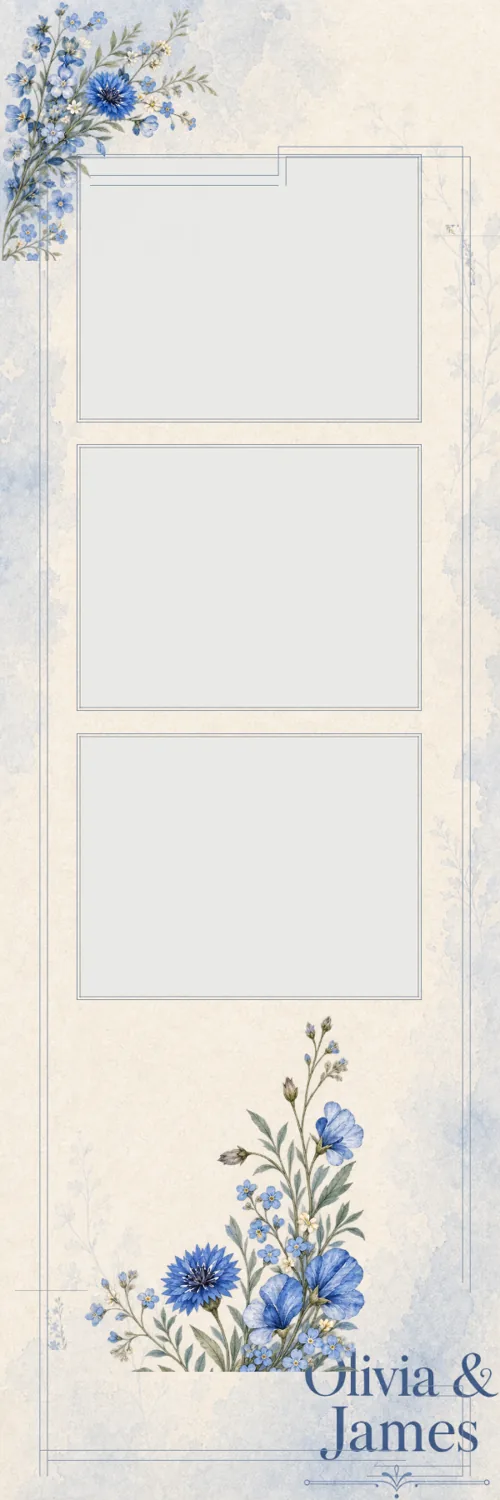
The 2×6 strip, in numbers
Last updated
| Trim size | 2 × 6 inches |
|---|---|
| Pixels | 600 × 1800 at 300 DPI |
| File | PNG with transparent photo openings |
| Photos | 3 or 4 per strip |
| Footer | With or without a strip for names and date |
| Printing two-up | Most booths print two strips on one 4×6 sheet and cut it |
Four strip layouts to choose from
You pick the layout when you brief the event: three photos or four, each with or without a footer. The footer is where the names, the date or a hashtag go. Without one, the wording sits between or over the photos.
Three photos give each shot more room and suit couples and small groups. Four photos suit a booth that shoots fast and guests who want a run of poses.
Why the openings are transparent
Booth software lays the strip over the guest photos, so the photo areas have to be see-through. BoothLab exports the strip as a PNG with those openings already cut, at the exact trim size, so you load it as the overlay and line the photo positions up once.
Each photo opening moves only with its own frame, so moving a flower or retyping a name in the Studio never shifts where the photos land.
The strip is one piece of a matched kit
The strip is drawn from the same hero design as the rest of the pack. The attract screen by the door and the touchscreen buttons carry the same motifs, lettering and colours, so the booth looks designed for this event from the first tap to the print in the guest’s hand.
Questions operators ask
What size is a photo strip template?
A standard photo booth strip is 2 × 6 inches. At 300 DPI that is 600 × 1800 pixels, which is the size BoothLab exports.
Can I get a strip with four photos instead of three?
Yes. Choose a three-photo or four-photo layout in the brief, each with or without a footer for the names and date.
Do I get a blank strip I can reuse?
Each strip is designed for one event, with that event’s wording lettered into it. You can retype the wording in the Studio, and re-exporting is free.
Will the strip print two-up on 4×6 paper?
That is set in your booth software, not in the file. Load the 2×6 PNG as your strip overlay and choose the two-strip print layout your printer cuts.